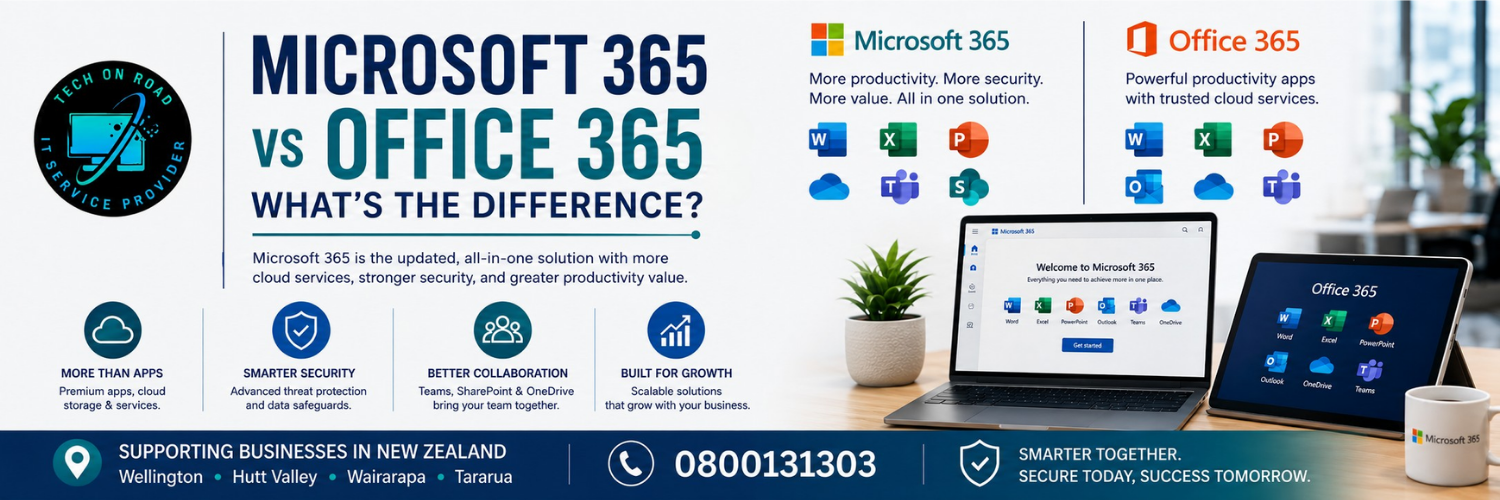
Microsoft 365 vs Office 365: What’s the Difference?
Microsoft 365 and Office 365 are closely related, but they aren’t simply two different names for the same product. That is why Microsoft 365 vs Office 365 remains confusing for people comparing software for home or business use.
Microsoft renamed many former Office 365 consumer and small-business plans under the Microsoft 365 brand. However, Office 365 still exists, particularly within Microsoft’s enterprise plans, including Office 365 E1, E3 and E5. You may also still see people use MS Office 365 when referring more generally to Microsoft’s subscription-based productivity software.
If you are planning to buy Microsoft 365, the important question is not whether one name is newer or “better”. It is which licence includes the applications and services you actually need.
Microsoft 365 vs Office 365 at a Glance
| Feature | Microsoft 365 | Office 365 |
| Current small-business plans | Main current branding | Former business plans largely renamed |
| Word, Excel and PowerPoint | Depends on plan | Depends on plan |
| Desktop applications | Depends on plan | Depends on plan |
| Business email | Available | Available |
| OneDrive and SharePoint | Available | Available |
| Collaboration services | Available | Available |
| Advanced security | Available on selected plans | Depends on licence |
| Device management | Available on selected plans | Depends on licence |
| Enterprise plans | Microsoft 365 E3, E5 and others | Office 365 E1, E3, E5 and others |
For anyone making an Office plans comparison, the main takeaway is simple: the licence determines what you receive, not the product name alone.
Office 365 Was Not Simply Renamed Microsoft 365
The idea that “Office 365 became Microsoft 365” is partly correct, but it oversimplifies Microsoft’s current product structure.
Several former Office 365 business plans were renamed. Office 365 Business Essentials became Microsoft 365 Business Basic, Office 365 Business Premium became Microsoft 365 Business Standard, and Office 365 Business became Microsoft 365 Apps for business.
The change also reflects how Microsoft’s productivity ecosystem expanded beyond traditional desktop software. Modern subscriptions can combine applications with email, storage, collaboration, security and device-management capabilities through Microsoft cloud services.
Office 365 itself, however, was not completely retired. Microsoft continues to offer enterprise plans including E1, E3 and E5. This is why Microsoft 365 vs Office 365 is better understood through current Microsoft licensing rather than as a simple old-name-versus-new-name comparison.
Microsoft 365 Features Beyond Office Apps
Microsoft 365 can provide much more than Microsoft Word, Excel, and PowerPoint.
Depending on the licence, a subscription may include Outlook, desktop and browser-based Office apps, OneDrive cloud storage, Exchange Online business email, SharePoint, collaboration services, user administration, security features and device or application management.
These additional services are particularly important for businesses because cloud productivity tools can connect communication, files and everyday workflows across multiple users and devices.
A company may use Outlook and Exchange Online for email, OneDrive for individual file storage and SharePoint for shared business information. Higher-level plans can also introduce additional security and management capabilities.
This is why two organisations comparing Microsoft 365 vs Office 365 may have very different IT requirements even when both rely on familiar Microsoft applications.
Microsoft 365 Plans for Small Businesses
For many small organisations, the practical choice is between Microsoft 365 Business Basic, Business Standard and Business Premium. The right small business software setup depends on how employees work rather than simply choosing the plan with the longest feature list.
1. Microsoft 365 Business Basic
Business Basic is designed primarily around cloud services and browser-based productivity.
It provides access to web versions of Microsoft applications along with services such as business email and cloud storage, but it does not include the installed desktop versions of Word, Excel, PowerPoint and Outlook available with Business Standard and Business Premium.
It can therefore suit businesses where employees spend most of their time working online and do not require full desktop applications.
2. Microsoft 365 Business Standard
Business Standard combines Microsoft’s cloud services with installed desktop Microsoft 365 applications.
That makes it more appropriate for employees who regularly work in Word, Excel, PowerPoint or Outlook while also relying on business email, cloud storage and online collaboration. For many organisations, this balance can support workplace productivity without moving immediately to the highest business tier.
3. Microsoft 365 Business Premium
Business Premium builds on Business Standard by adding stronger security and management capabilities.
Microsoft currently lists Microsoft Intune capabilities with Business Premium, providing tools for managing devices and applications that are not included in Business Basic or Business Standard.
This becomes more relevant when a business manages company-owned laptops, supports remote staff or needs greater control over how users and devices access business information.
Microsoft 365 Business Plans Compared
For New Zealand organisations reviewing business software NZ options, this table provides a useful starting point.
|
Capability |
Basic | Standard |
Premium |
|
Web applications |
✓ | ✓ |
✓ |
|
Desktop applications |
— | ✓ |
✓ |
|
Business email |
✓ | ✓ |
✓ |
|
Cloud storage |
✓ | ✓ |
✓ |
|
Collaboration services |
✓ | ✓ |
✓ |
|
Advanced security |
More limited | More limited | Expanded |
|
Device management |
More limited | More limited |
Expanded |
Businesses that need help comparing plans, configuring Microsoft services or setting up users and devices can also consider Professional IT Support Wellington. Features and licensing conditions can change, so Microsoft’s current plan documentation should always be checked before purchasing.
Using Microsoft Office for Free
Not every user comparing Microsoft 365 vs Office 365 needs a paid Office subscription.
Microsoft provides free browser-based versions of Word, Excel and PowerPoint to users signed in with a Microsoft account. Free users currently also receive 5 GB of OneDrive cloud storage.
These web applications are suitable for basic document editing, spreadsheets and everyday tasks, although they do not provide the complete functionality of the paid desktop applications.
Users who mainly want traditional desktop software can also consider a one-time Office purchase. Microsoft currently sells Office 2024 as a one-time purchase for one PC or Mac rather than as a Microsoft 365 subscription.
That means users broadly have three options: free browser-based tools, a one-time Office purchase, or a Microsoft 365 subscription with additional services depending on the selected plan.
Key Factors When Choosing a Microsoft 365 Plan
The best Microsoft 365 plan is not necessarily the one with the longest feature list. Start with how your team actually works and which services are essential for day-to-day productivity.
Consider these factors:
- Desktop or web applications: Do employees need installed versions of Word, Excel, PowerPoint and Outlook, or are browser-based versions sufficient?
- Business email: Do you need professional email using your own domain?
- Cloud storage: Will employees need OneDrive or shared access to company files?
- Collaboration: Do team members regularly work on shared documents or access files from different locations?
- Security: Does the business require stronger identity, access or data-protection controls?
- Device management: Will company-owned laptops, desktops or mobile devices need central management?
- Number of users: Are you licensing only a few employees or managing a larger team?
- Future growth: Will you need to add more users, devices or security capabilities later?
A five-person business may need a very different Microsoft 365 setup from an organisation managing dozens of employees, remote workers and company-owned devices. For businesses comparing Microsoft services NZ options, the right plan should cover current requirements while leaving reasonable room for growth.
Microsoft 365 Performance Also Depends on Your Computer
Choosing the correct Microsoft licence does not automatically guarantee good computer performance.
If Outlook takes a long time to open, Excel struggles with larger files or the computer feels slow in general, the subscription itself may not be the cause. Insufficient memory, slow storage, ageing hardware, operating-system problems or other software issues can affect how comfortably Microsoft applications run.
In some cases, a computer upgrade can restore useful performance without requiring a complete PC replacement. This matters because a Microsoft 365 vs Office 365 decision should solve a licensing need, not be used to compensate for an unrelated hardware problem.
For businesses that need help identifying whether the issue is related to Microsoft 365, the software setup or the computer itself, Tech On Road provides on-site IT support across Wellington, Hutt Valley, Wairarapa and Tararua, including software troubleshooting and computer upgrades.
Making Your Decision Between Microsoft 365 and Office 365
The Microsoft 365 vs Office 365 difference is ultimately less complicated than the names suggest. Many former Office 365 plans moved under Microsoft 365 branding, while Office 365 remains relevant within parts of Microsoft’s enterprise licensing.
For most users, the right choice depends on what the licence includes:
- Business Basic for email, cloud storage and web applications.
- Business Standard for desktop applications plus cloud services.
- Business Premium for added security and device management.
The key is to choose the plan that matches your users, devices and day-to-day needs—not simply the product name.