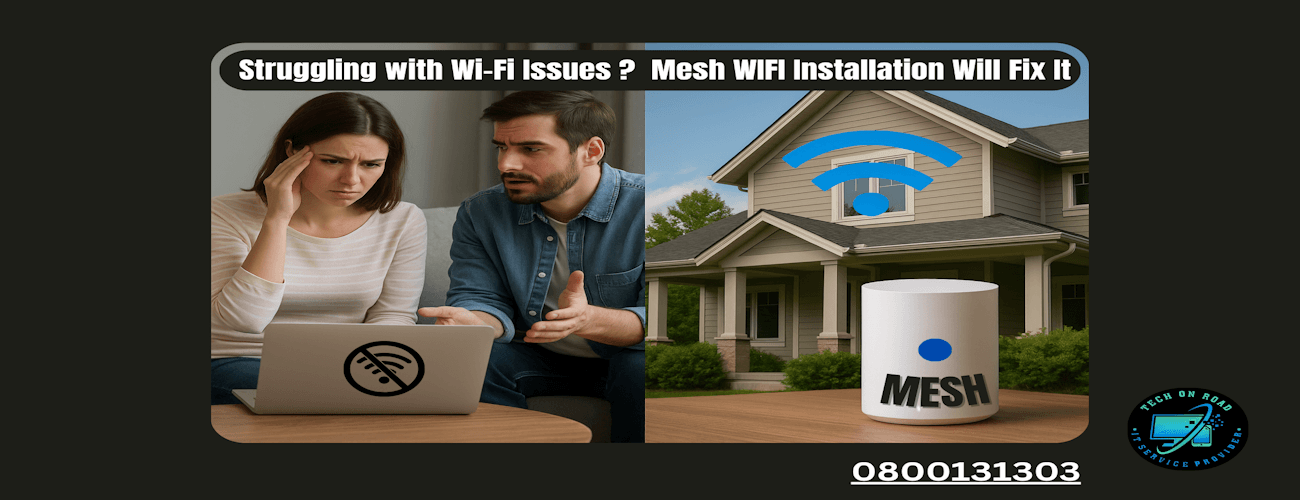
Mesh WIFI Installation NZ – Best Solution to Wi-Fi Issues
Ever walked into a room in your own house, only to find your Wi-Fi barely loading a webpage or buffering Netflix endlessly? You’re not alone. Spotty internet is one of the most frustrating issues in modern households.
It usually starts subtly. Your Zoom call drops once or twice, your smart TV takes forever to load, or your phone clings to a weak signal in your bedroom. Eventually, you’re rebooting the router twice a day and wondering if it’s time to switch ISPs.
But here’s the truth: your internet plan might not be the problem. Your Wi-Fi setup might be. And if your home has multiple floors, thick walls, or just lots of connected devices, a mesh WIFI installation at your place could be the fix you didn’t know you needed.
Why Is Your Wi-Fi So Inconsistent?
Before jumping to a solution, it helps to understand the root causes of spotty Wi-Fi.
1. Single Router, Too Much Ground to Cover
Most homes use a single router (usually provided by the ISP) placed in one corner or near the TV. That router’s signal spreads like light from a bulb—it gets dimmer the further you go. If you live in a home larger than 800-1000 sq. ft. or with more than one floor, you’ve already got coverage problems.
2. Walls, Floors, and Other Blockers
Concrete walls, metal reinforcements, glass panels, and even water tanks can weaken Wi-Fi signals. Every physical obstruction between your device and the router chips away at signal strength.
3. Too Many Devices, One Router
From laptops, phones, and tablets to smart TVs, Alexa devices, printers, and baby monitors—everything wants Wi-Fi. A standard router struggles to divide its attention effectively across 15–20 devices.
4. Interference from Other Electronics
Microwaves, cordless phones, Bluetooth speakers, and even neighboring Wi-Fi networks (especially in apartments) interfere with your router’s frequency, causing drops.
5. Old Router = Poor Performance
Wi-Fi standards have evolved—from Wi-Fi 4 to Wi-Fi 6 and now Wi-Fi 6E. If your router is more than 3–4 years old, it may not support the latest speeds or bandwidth handling capabilities.
What Is a Mesh Wi-Fi Network? (And How Is It Different?)
Imagine your old router is like one loudspeaker trying to reach every corner of your house.
A mesh network, on the other hand, uses multiple speakers (called nodes or satellites) strategically placed around your home. These nodes talk to each other to form a single, unified Wi-Fi network that covers every corner, no matter how big or awkwardly shaped your space is.
You don’t switch between networks as you move through your home. Your device is always connected to the strongest node automatically. It’s seamless, fast, and reliable. That’s why more and more households are opting for professional mesh Wi-Fi installation to get the most out of their internet connection.
Mesh Wi-Fi Network vs Traditional Routers: What’s the Real Difference?
When deciding between a traditional router and a mesh Wi-Fi network, it helps to look beyond specs and see how they perform in everyday life.
- Coverage: A traditional router sends Wi-Fi signals from a single spot, so rooms far away often get a weak or no signal. Mesh networks, on the other hand, use multiple devices spread across your home, giving you seamless, blanket coverage—even in tricky corners and multiple floors.
- Performance as You Move Around: With a traditional router, the further you get from it, the slower and spottier your connection becomes. Mesh wi-fi networks keep your connection strong no matter where you roam, because your device automatically switches to the nearest node with the best signal.
- Handling Multiple Devices: Got a house full of phones, laptops, smart TVs, and gadgets? Traditional routers can slow down or struggle when too many devices connect at once. Mesh Wi-Fi installation systems spread the load evenly, keeping everything running smoothly, even with heavy use.
- Setup and Control: Traditional routers are usually simple to plug in, but offer limited control over your network. Mesh systems often come with user-friendly apps that let you set up your network quickly, control access, prioritize devices, and monitor performance right from your phone.
- Growing Your Network: If you move to a bigger home or want to boost coverage, traditional routers often need extra extenders or a new device. Mesh network setup makes this easy — just add more nodes wherever you need a better signal, and your network grows with you.
How Mesh WIFI Installation Solves Weak Wi-Fi or No Internet
Ever had to restart your router in the middle of a Zoom call? Or found yourself holding your phone in weird corners of your house just to get one bar of Wi-Fi? These are everyday frustrations many households deal with—and they’re usually not caused by your internet provider. The real issue? Poor coverage.
Here’s how mesh Wi-Fi installation takes those daily annoyances and solves them for good:
1. Wi-Fi works fine in the living room, but it dies in the bedroom.
- Why it happens: Traditional routers send out Wi-Fi signals from one central point. The farther you go, the weaker the signal, especially through walls or up staircases.
- Mesh Fix: Mesh networks use multiple nodes placed throughout your home. Instead of a single router trying to do all the work, these nodes “talk” to each other to create a unified network. That means you get a strong signal in every room, even behind closed doors.
2. My call drops the moment I walk from one room to another.
- Why it happens: Devices connected to a traditional router often cling to the original signal, even when it’s weak, rather than switching to a better one.
- Mesh Fix: A mesh network setup uses smart routing. As you move around, your phone or laptop automatically switches to the node with the strongest signal. No manual reconnections. No dropouts. Just seamless browsing, calling, and streaming.
3. The kids are gaming, I’m on Zoom, someone’s streaming—and everything lags.
- Why it happens: Most routers struggle to handle multiple devices at once. They weren’t built for today’s data-heavy households.
- Mesh Fix: With mesh, each node shares the load. One handles your office, another covers the kids’ room, and another keeps the smart TV running smoothly. It’s like having a team of routers working together—without the complexity.
4. No Wi-Fi in the garage, kitchen, or backyard.
- Why it happens: Wi-Fi signals drop drastically when passing through appliances, brick walls, or even just distance.
- Mesh Fix: Add a node near the garage or back door, and suddenly that dead zone is alive with fast, steady internet. Some mesh systems even offer weatherproof nodes for outdoor use—perfect for backyard movie nights or smart garden devices.
Say Goodbye to Weak Wi-Fi, Forever
If you’re tired of slow internet, endless buffering, and dropped video calls, it’s time to upgrade your Wi-Fi experience. A mesh network isn’t just a tech buzzword—it’s the reliable, powerful solution modern homes need, especially with so many devices connected and remote work becoming the norm.
Making the switch to a mesh system means you’ll enjoy fast, stable internet in every room—no more dead zones or frustrating dropouts. It’s a small investment that makes a huge difference in how you live, work, and play online.
For anyone in Lower Hutt, Upper Hutt, Masterton, or across Wellington, Tech On Road offers friendly, expert at-home service to set up and customize your mesh WiFi installation at your place. We handle the tricky tech stuff so you don’t have to.