Lumma Stealer Malware Alert In NZ: How Kiwis Can Stay Safe, Protected & Scam-Free
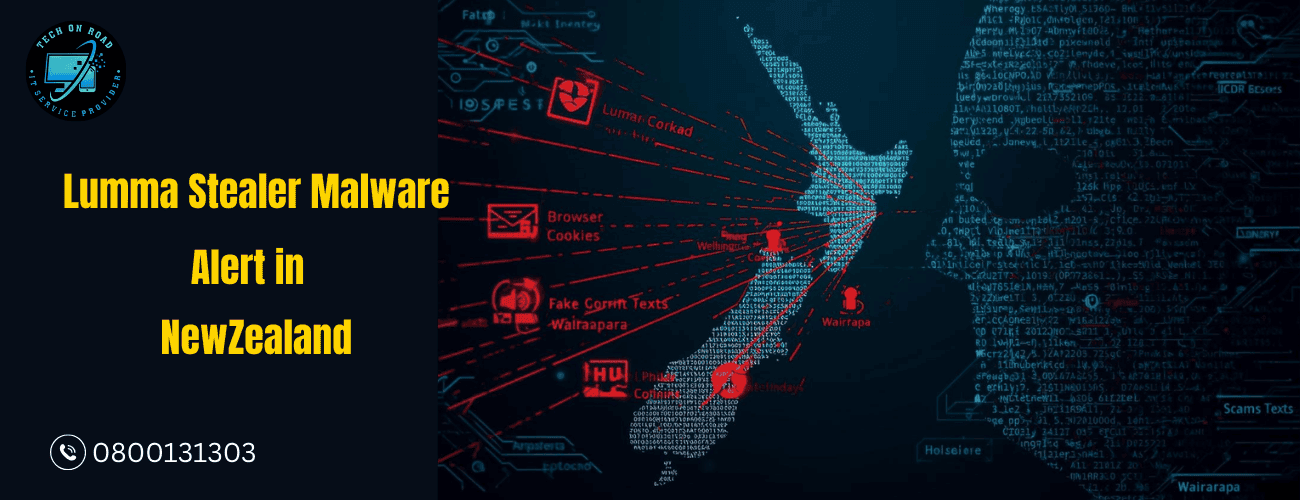
When you hear about a new cyber threat on the news or from the police, it can feel distant—like something that happens “out there” on the internet, not in your home in Wellington, Lower Hutt, Masterton, Wairarapa, or Featherston. But the Lumma Stealer Malware alert in NZ is different because it targets exactly what you use every day: your browser, your saved passwords, your online banking, your social media, and even your work logins.
Across New Zealand, scammers are combining malware, fake texts, phishing emails, and online scams to silently break into accounts and steal identities. Understanding this threat is the first step; the next is knowing when to act and when to rely on professional malware removal services in Wellington, Lower Hutt, Masterton, Wairarapa, or Featherston that ensure nothing harmful remains on your device.
This guide is written specifically for Kiwis so you can understand the risk, recognize the warning signs, know how to report scams properly, and take practical steps to keep your household and devices safe.
Why the Lumma Stealer Malware Alert in NZ Puts Every Kiwi Region at Risk
Whether you’re in a Wellington apartment, a home office in the Hutt Valley, or running a small business in Masterton or Carterton, the Lumma Stealer Malware alert in NZ is directly relevant to you. This threat isn’t just about “hackers”; it’s about criminals quietly stealing logins and using your digital identity to make money.
This kind of password-stealing malware is designed to stay hidden. It doesn’t always crash your computer or show obvious pop-ups. Instead, it quietly collects the information that matters most—logins, cookies, and session tokens—so scammers can access your accounts as if they were you. Because New Zealanders rely heavily on online banking, digital government services, and cloud-based work tools, a single infection can affect your personal life, finances, and job all at once.
You may already have seen headlines, social media posts, or an NZ malware alert related to this threat. The key is not to panic, but to understand what it does and how to respond calmly and quickly if you suspect something is wrong.
What Kiwis Must Know About Lumma Stealer in NZ
Even if you don’t consider yourself “technical,” you can understand the basics of how this class of malware works and protect yourself effectively. People searching for Lumma Stealer Malware Alert in NZ are really looking for two things: “What is it?” and “How do I stop it affecting me?”
How Lumma Stealer Malware Infects Devices Across NZ
Criminals use multiple methods to get people to install this kind of malware, including:
- Fake courier or parcel messages that ask you to click a link and “track” or “reschedule” a delivery. Some of these are classic fake courier scams in NZ, and the link leads you to download a malicious app or file.
- Phishing emails pretending to be from banks, government agencies, streaming services, or cloud tools. One careless click on a malicious attachment can trigger an email phishing attack that installs the malware.
- Cracked or pirated software downloaded from unofficial websites, often bundled with hidden malicious code.
- Fake software updates, where a pop-up tells you to “update” your browser, media player, or antivirus from an untrusted source.
Once installed, the malware quietly scans your device for browsers, wallet extensions, saved passwords, and session cookies. It then sends this information to a remote server controlled by the attacker.
What Information Lumma Stealer Can Steal From Kiwi Users
When you think about cyber threats in New Zealand, Lumar-type malware sits in a particularly dangerous category because of what it targets:
- Logins for online banking and payment accounts
- Email accounts (like Gmail, Outlook) are used to reset other passwords
- Social platforms such as Facebook, Instagram, TikTok, and LinkedIn
- Work-related services such as Microsoft 365, Google Workspace, or remote desktop tools
- Crypto wallets and trading platforms
- Government logins such as IRD, immigration accounts, or council portals
Because New Zealanders often reuse passwords or rely on “Sign in with Google/Facebook,” one stolen login can open many doors. That’s why online fraud protection is not just a bank’s responsibility; it starts with how safe your own device is.
How Lumma Stealer Attacks Unfold Across Kiwi Homes & Businesses
It can help to imagine how the Lumma Stealer Malware alert in NZ turns into real-life problems for everyday people and businesses. Here are a few realistic scenarios drawn from what we typically see in malware and scam cases.
Wellington office worker
A Wellington professional working in the CBD receives what looks like an urgent invoice email from a common local supplier. They open the attachment, which secretly installs malware. A few days later, they notice unusual logins to their Microsoft 365 account from overseas. Sensitive work files, client details, and internal documents are accessed. This is a classic example of how suspicious login activity can be the first visible sign that something went wrong days earlier.
Hutt Valley Family with a Shared Home Computer
In Lower Hutt, a household shares one ageing desktop for schoolwork, shopping, and banking. One of the teenagers downloads a “free” game from an unofficial website. The malware steals stored browser logins, and browser cookie theft lets scammers access saved sessions for email and banking. Parents only realise something is wrong when they see transactions on their account that they never authorised.
Small Business in Masterton or Carterton
A small business owner in Masterton receives a text claiming to be from a courier needing additional payment to release an urgent stock delivery. The link leads them to a fake payment page, which installs malware and captures card details. They later discover the same card was used for multiple online purchases they never made. This is where online scam reporting and quick action with the bank can limit the damage.
Older Residents in Wairarapa or Featherston
An older person in Featherston receives phone calls and emails pretending to be from their bank. The caller encourages them to “log in while we’re on the phone” to confirm transactions. Their device is already compromised, so the attacker has both the login details and real-time visibility of confirmations. This can quickly escalate to full account takeover and the need for strong identity theft prevention steps.
Across all these examples, the pattern is consistent: a small, seemingly harmless action leads to a serious compromise. That is why the Lumma Stealer Malware alert in NZ should be seen as a wake-up call for every region, not just the big cities.
Key Warning Signs Your Computer May Be Infected by Malware in NZ
Most people only start to worry when something “feels off” with their laptop, desktop, or even a work machine. Understanding common malware infection signs helps you act early, before more data is stolen or more damage is done.
When a threat like the Lumma Stealer Malware alert in NZ is circulating, keep an eye out for:
- Slow or erratic performance appears without a clear reason
- New toolbars, extensions, or apps you don’t remember installing
- Unexpected browser redirects to strange websites when you try to open normal pages
- Programs are crashing or freezing regularly
- Antivirus or security features are disabled without your action
- Extra prompts or pop-ups asking for permissions or admin access
- Devices are heating up, or fans are running loudly even at idle, suggesting hidden processes
From an account perspective, warning signs include:
- Security emails about suspicious login activity you don’t recognise
- Being logged out of accounts more often than usual
- Passwords “not working anymore” because someone else has already changed them
- Friends or contacts receiving unusual messages or links from your accounts
These symptoms don’t always mean your device has Lumar specifically, but they are strong indicators that some kind of malicious software may be present. At this stage, many people search terms like report scams NZ or call their bank, but forget that the root of the problem may still be sitting on their device.
Because of Lumma Stealer Malware Alert in NZ, it is smart to treat any cluster of odd behaviours as a reason to stop, disconnect from the internet temporarily, and seek help or follow structured device protection tips from trusted sources.
How to Report Scams in NZ: Official Channels Every Kiwi Should Use
When a national issue like the Lumma Stealer Malware alert in NZ surfaces, cleaning your device is only part of the response. Reporting scams helps authorities identify patterns, warn communities, and stop attackers from spreading across Wellington, Hutt Valley, Masterton, Wairarapa, and beyond. As NZ Police remind us: “Even if you’re unsure, it’s worth reporting. Every tip helps.”
1. Reporting Text Scams (SMS) in NZ
Forward suspicious texts to DIA at 7726. This includes parcel, banking, or verification messages. It helps telcos block malicious senders and campaigns.
2. Reporting Email & Phishing Scams in NZ
Report phishing attempts to NCSC: https://www.ncsc.govt.nz/report/business-and-individuals
This strengthens national NZ cybersecurity awareness.
3. Reporting Investment or Financial Scams in NZ
Report to FMA: https://www.fma.govt.nz/scams/report-a-scam
This is critical for reducing online fraud protection gaps.
4. Reporting Phone Call Scams in NZ
Report scam calls to your telecommunications provider. Hang up if pressured to install software or share codes.
5. Reporting Online Shops & Social Media Scams in NZ
Report fake stores and marketplace fraud to Netsafe: https://www.netsafe.org.nz
6. Reporting Online Threats or Blackmail in NZ
Report urgent digital threats to NZ Police (105): https://www.105police.govt.nz
Why Reporting Helps: Every report—even a small one—strengthens New Zealand’s digital safety. It helps banks stop fraudulent transactions, telcos block malicious numbers, cybersecurity teams detect new threats, and police investigate faster. Consistent reporting makes it harder for scammers to target communities from Wellington to Carterton, creating stronger nationwide protection for all Kiwis.
How Kiwis Can Stay Safe Online During the Lumma Stealer Malware Alert in NZ
A national threat like the Lumma Stealer Malware alert in NZ can feel overwhelming, but most protection starts with simple, practical habits. You don’t need to be an expert—you just need a clear checklist and the discipline to follow it. This is the essence of kiwis’ online safety in an increasingly connected world.
Step 1: Strengthen Your Logins and Account Security
- Use strong, unique passwords for each service.
- Consider a reputable password manager rather than relying on your browser alone.
- Turn on multi-factor authentication (2FA) wherever possible.
- Regularly review active sessions and connected devices in your key accounts.
This makes it much harder for attackers to exploit stolen logins, even if malware has already captured them.
Step 2: Be Careful With What You Click and Download
- Avoid downloading “free” or cracked versions of software, especially on shared devices.
- Don’t click links from unknown senders in email or SMS.
- Type web addresses manually for banks, government services, and major platforms instead of clicking links.
- Double-check sender addresses and domains before trusting emails.
If you ever doubt whether a message is real, treat it as a potential email phishing attack and verify through official channels before acting.
Step 3: Make Your Devices More Secure and Resilient
- Keep operating systems and apps updated with the latest security patches.
- Use a reputable security solution and schedule regular scans.
- Turn on built-in firewalls and review allowed apps and permissions.
- Separate work and personal activities when possible, especially in remote-working setups.
If something feels seriously wrong or you discover confirmed malware, consider engaging a professional malware removal service so the clean-up is thorough. For ongoing protection, many Kiwi households now combine regular updates with advanced cybersecurity solutions that monitor threats before they cause damage.
Step 4: Keep Your Whole Household Safe Online
The Lumma Stealer Malware alert in NZ doesn’t just affect tech-savvy adults. Children, teens, older parents, and less confident users are often the easiest targets. That’s why online safety for families needs to be discussed openly at home:
- Teach kids not to install random games, mods, or “cheats” from unknown sites.
- Help older relatives verify messages from banks, couriers, or government departments.
- Agree on a simple family rule: “If in doubt, ask before you click.”
Are online/cyber threats different in your city—Wellington, Hutt Valley, Masterton, Wairarapa? What should you check first in your own home or office?
How Malware Like Lumar Enables Scams, Identity Theft, and Account Takeover
To understand why the Lumma Stealer Malware alert in NZ has attracted so much attention, it helps to join the dots between infection and the downstream crimes that follow.
From stolen data to stolen money
Once attackers have your logins, cookies, and session tokens, they can:
- Log in to banking or payment accounts and attempt transfers
- Access email and reset passwords for other services
- Use your identity to open new accounts or sign up for services
- Impersonate you on social media or messaging apps
The more accounts are linked to the same email or reused password, the easier this becomes. Stolen browser data is particularly useful because it often contains auto-fill details, addresses, and partial card information. This is why the term browser cookie theft appears frequently in technical discussions of these attacks.
Bigger picture Lumma Stealer Malware Alert in NZ
At a national level, these kinds of breaches contribute to broader cyber threats in New Zealand, from small personal losses to large-scale business compromises. Even a single infected machine in Eastbourne or Carterton can be used as a starting point for bigger scams, especially if it belongs to someone with access to company systems.
That’s why questions of protecting your computer in NZ are no longer just about “my laptop” but about the networks and services that depend on it.
When Kiwis Should Call a Local Expert for On-Site Malware Help
Sometimes DIY scans and free antivirus tools aren’t enough. If your device still feels unsafe or accounts are acting strangely, it’s time to involve a local, on-site professional. This is exactly where Tech On Road supports Kiwis across the region.
Signs you need expert help:
- Your computer is unusually slow or freezing
- Accounts show unfamiliar or overseas logins
- Money has moved without your permission
- Pop-ups or strange apps appear suddenly
- You’ve removed malware, but problems keep returning
- Multiple family members share the same device
- Your work accounts or remote access tools may be exposed
Tech On Road provides on-site tech support, malware removal, cybersecurity checks, and full device cleanups. We don’t just remove visible threats—we look for hidden infections, backdoors, and unsafe settings that free tools often miss.
We provide complete tech solutions and services at your doorstep in
- Wellington
- Lower Hutt
- Upper Hutt
- Eastbourne
- Petone
- Alicetown
- Naenae
- Taita
- Stokes Valley
- Wainuiomata
- Masterton
- Carterton
- Featherston
- Greytown
- Martinborough
- Wider Wairarapa and many more.
Many people call us only after trying multiple fixes themselves. But threats linked to the Lumma Stealer Malware alert in NZ often leave behind hidden components. Early help from Tech On Road computer repair means a cleaner system, stronger protection, and fewer future risks.
Your goal isn’t just to remove malware—it’s to build a safer digital setup for your home or business. With Tech On Road’s on-site support and practical cybersecurity guidance, you stay protected and avoid repeating the same stressful experience.
Building a Safer Digital Routine for Kiwi Homes & Businesses
A headline like the Lumma Stealer Malware alert in NZ can create fear for a week, but then be forgotten until the next incident. The real value comes when Kiwis turn that awareness into long-term habits—both at home and in workplaces from Wellington to Masterton to Wairarapa.
Ask yourself:
- Do you and your family know how to spot scam messages and suspicious links?
- Have you checked the security of your most important accounts in the last six months?
- Is there at least one person in your household or workplace who knows what to do if something goes wrong?
Across New Zealand, strengthening security is less about big, dramatic steps and more about steady improvements—better passwords, careful clicking, regular updates, and fast reporting when something looks wrong. Treat every strange message or unexpected login prompt as a potential early-warning sign.
If you take time today to review your devices, help a family member in the Hutt Valley, or share safety tips with a colleague in Masterton, you’re not just protecting yourself—you’re making it harder for scammers to operate anywhere in the country.
Stay curious, stay cautious, and keep learning. The more you understand about threats like this, the more confident and resilient you become online. If you ever feel overwhelmed or unsure, reach out to a trusted local professional who can walk you through your options step by step.